


Volume calculation
Calculate stockpile, excavation and earthwork volumes directly on your surfaces.
 Viewer
Upload your SLPK models to viewer.rolavi.net and work on them from any browser: calculate volumes, compare surfaces, draw profiles and take your results to CAD.

ROLAVI Viewer in action
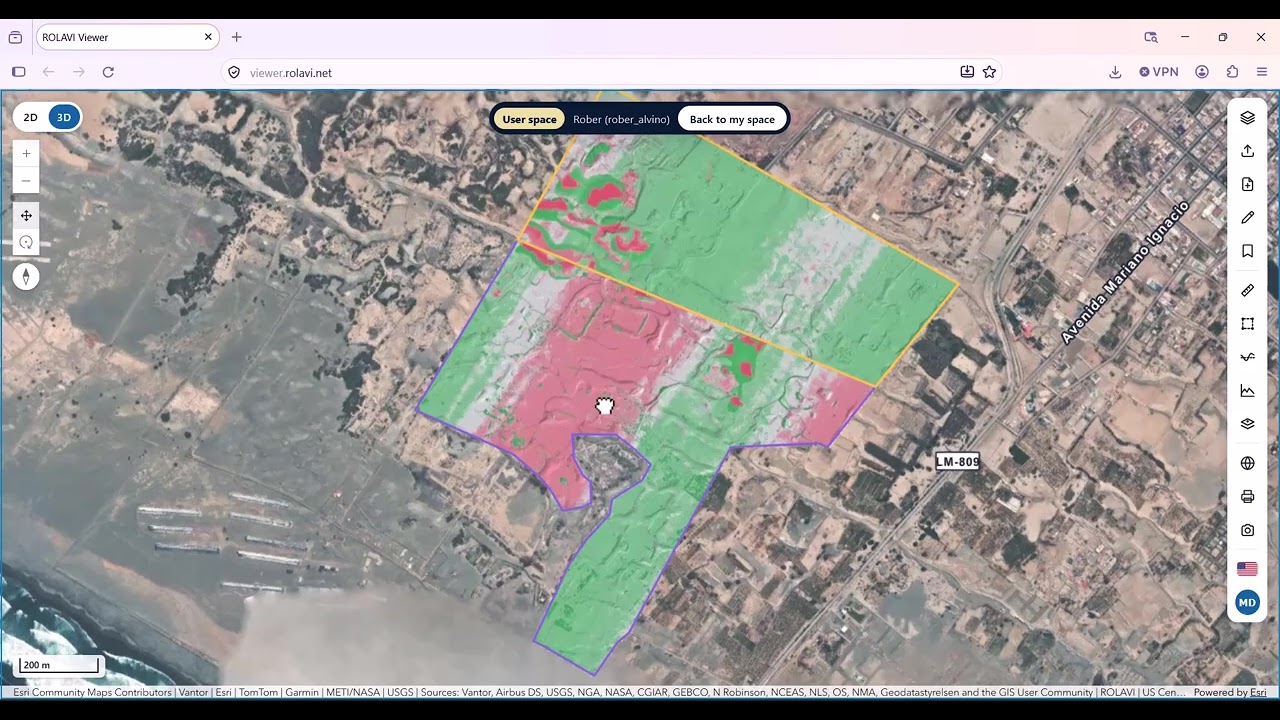
See ROLAVI Viewer at work: your 3D models, terrain and imagery together in one browser window.
Analysis tools
ROLAVI Viewer brings your 3D model, terrain and imagery together, with the tools to turn them into figures you can report.
Calculate stockpile, excavation and earthwork volumes directly on your surfaces.
Generate a report with the results of each calculation, ready to share with your client or your team.
Compare two DEMs to see where material was removed or added, with the cut and fill volumes.
Import orthomosaics to review the model alongside real imagery of the site.
Calculate terrain profiles along any line to analyse elevations and slopes.
Export your profiles to CAD to continue the work in your drafting software.
From ROLAVI GEOStudio to ROLAVI Viewer
Create the SLPK in ROLAVI GEOStudio, upload it to viewer.rolavi.net and start measuring.
Export your textured OBJ model to SLPK in ROLAVI GEOStudio.
Sign in at viewer.rolavi.net and upload the SLPK to your space.
Calculate volumes, compare DEMs, draw profiles and generate your reports.
Access
ROLAVI creates your user and password. Each user works in a private space, from any browser.
Contact ROLAVI by WhatsApp or email. Your administrator creates your user and sets the validity of your plan; then sign in at viewer.rolavi.net.
The models you upload stay in your own space. Your ROLAVI administrator manages access to the accounts.
No. You can publish the SLPK to ArcGIS Online from ROLAVI GEOStudio, or use it only in ROLAVI Viewer.
Yes. Our step-by-step guide shows how to convert an OBJ to SLPK and publish it to ArcGIS Online.
Plans
Ask the ROLAVI team about plans and storage for your account. Access is activated manually.
ROLAVI · viewer.rolavi.net